


Your first comprehensive
AI Muslim Planner
One calendar for your prayer times, events, tasks, habits, and daily commitments.


Everything on your plate.
One place to plan it.
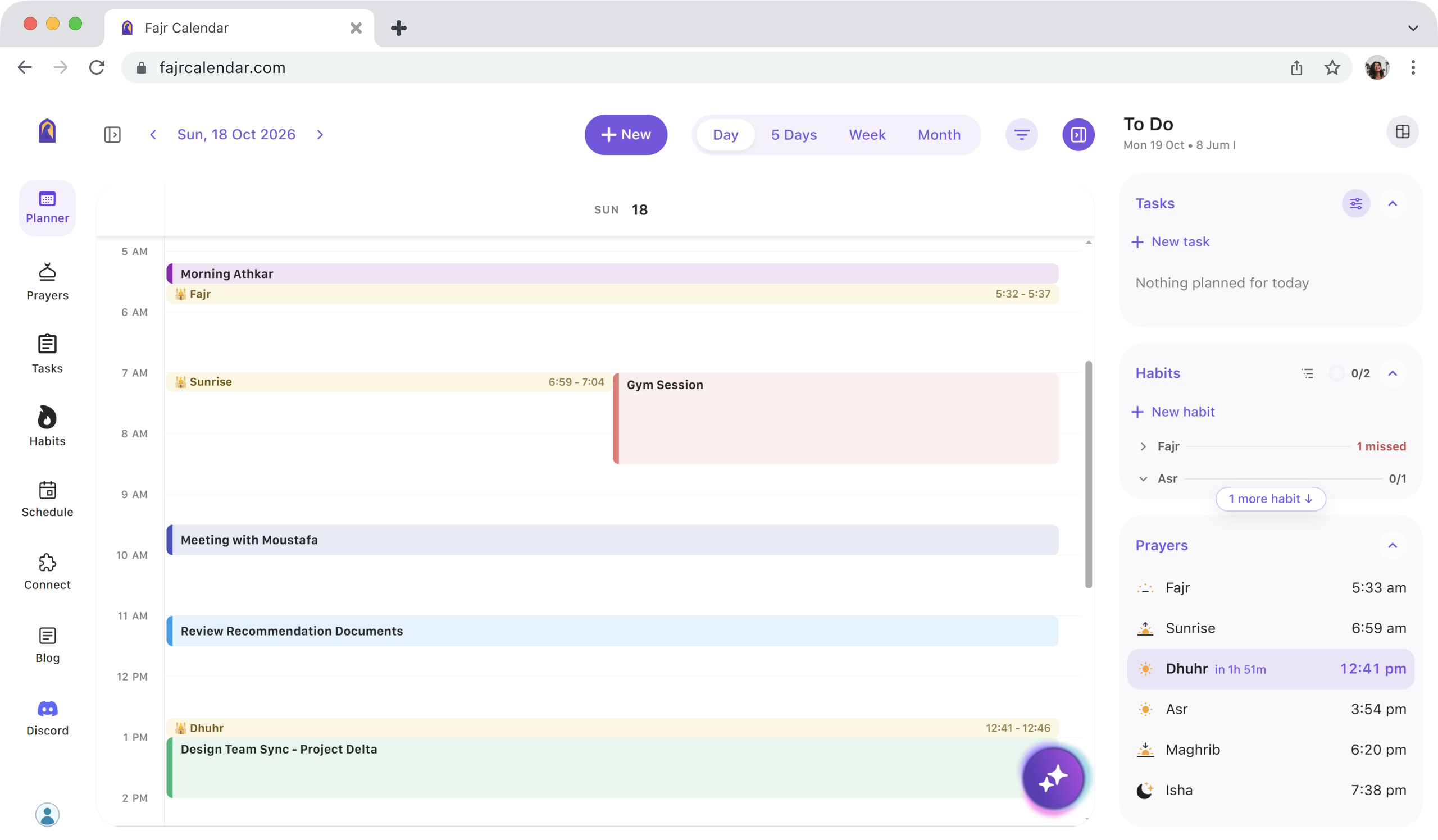
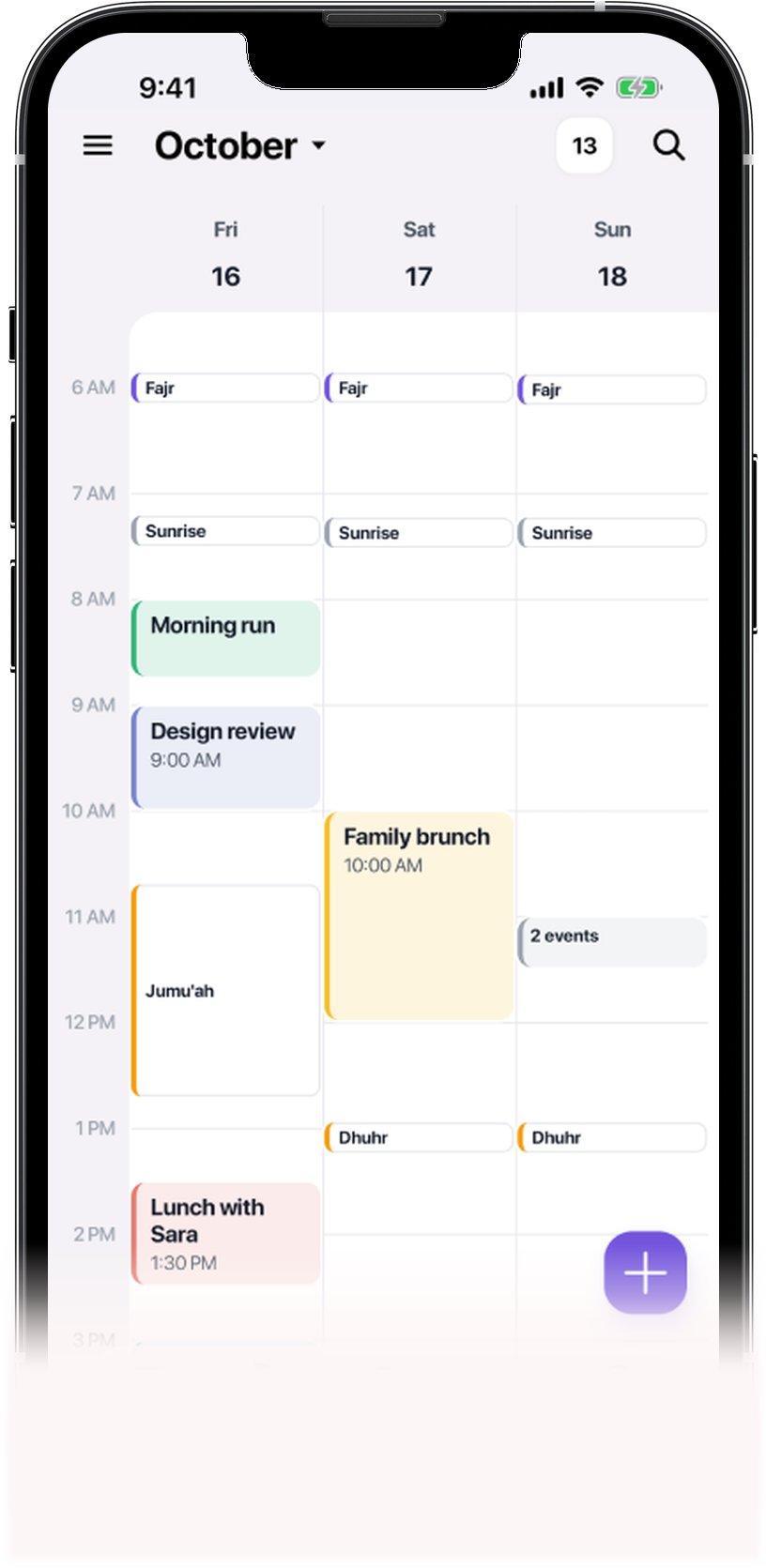
Unified Planner
View your prayers, meetings, and tasks in one calendar and plan around what matters.
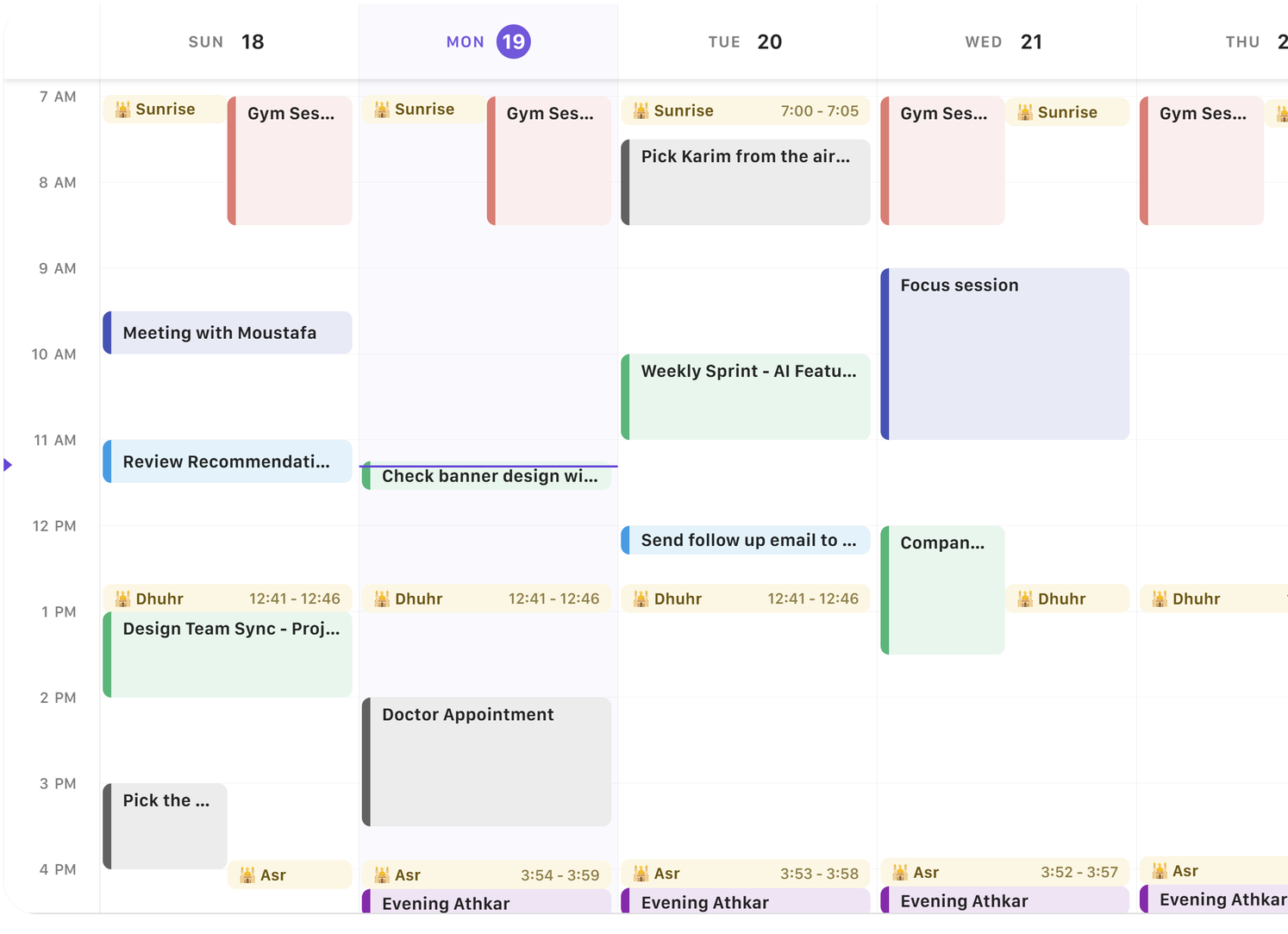
Sync Across Your Apps
Google Calendar, Outlook, iCloud, Slack, and Microsoft Teams.






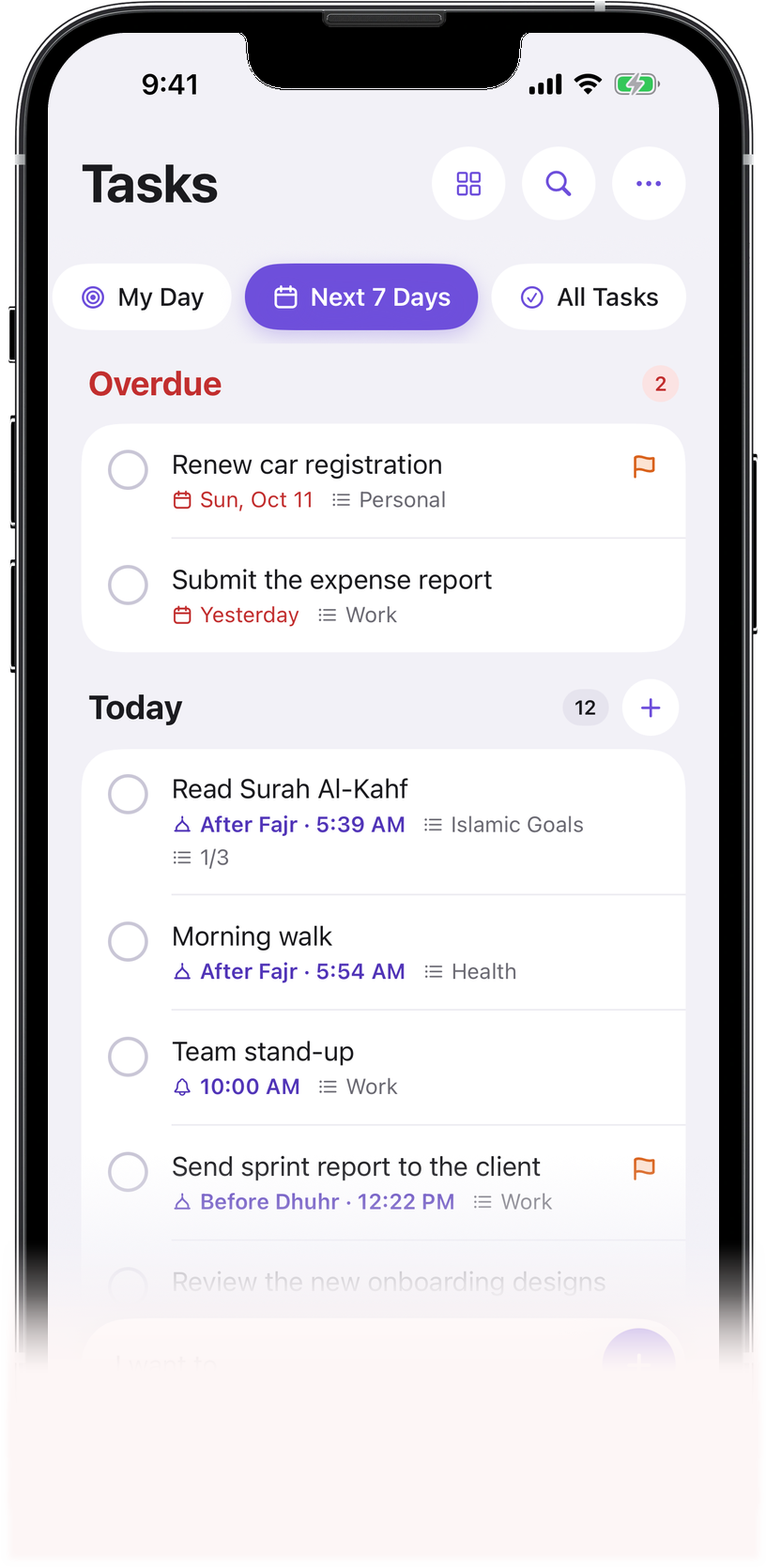
Smart Tasks
Schedule tasks relative to prayer times. Create lists, organize priorities, set deadlines, and clear your workload effortlessly.
Today


Work List

Grocery List

Personal List

Travel List
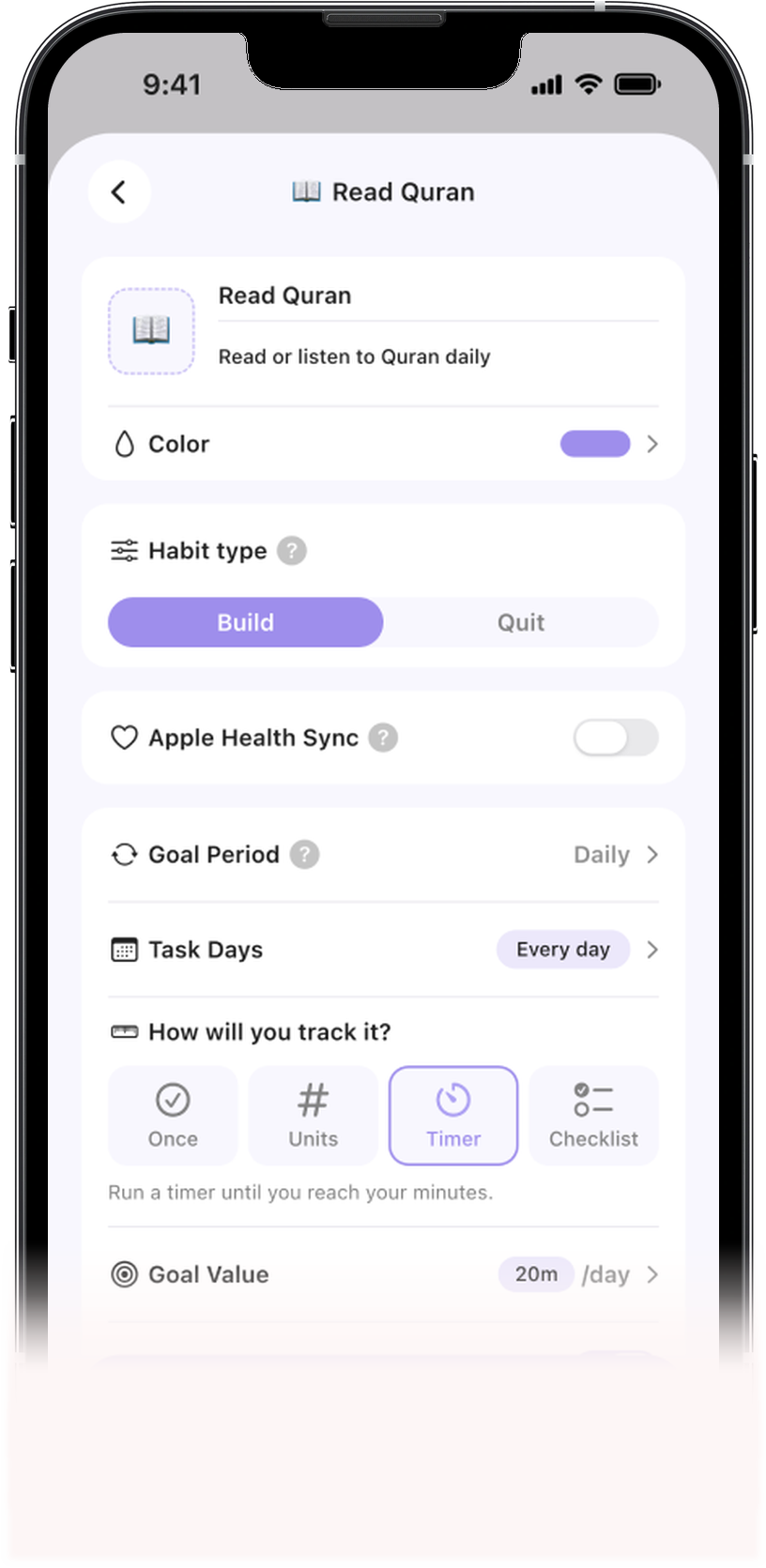
Habits & Streaks
Create daily habits and track your consistency with streaks to gain deep analytics on your daily growth.
Morning Azkar
Daily - 30 mins
Gym workout
3x/week - 1.5 hrs
Journaling
Weekly - 1 hour
Eat vegetables
Daily - 1 hour
Sleep early
5x/week
No foul language
1/4 - slip/month
Check your prayer times before you connect anything
Location
Calculation method
Madhab


Not quite right?You can shift any prayer by a few minutes after you sign up.

Customize Prayer Times

Mark Yourself as Busy

Get Prayer Notification
More than a calendar.
A rhythm built around prayer.

Something lands on it
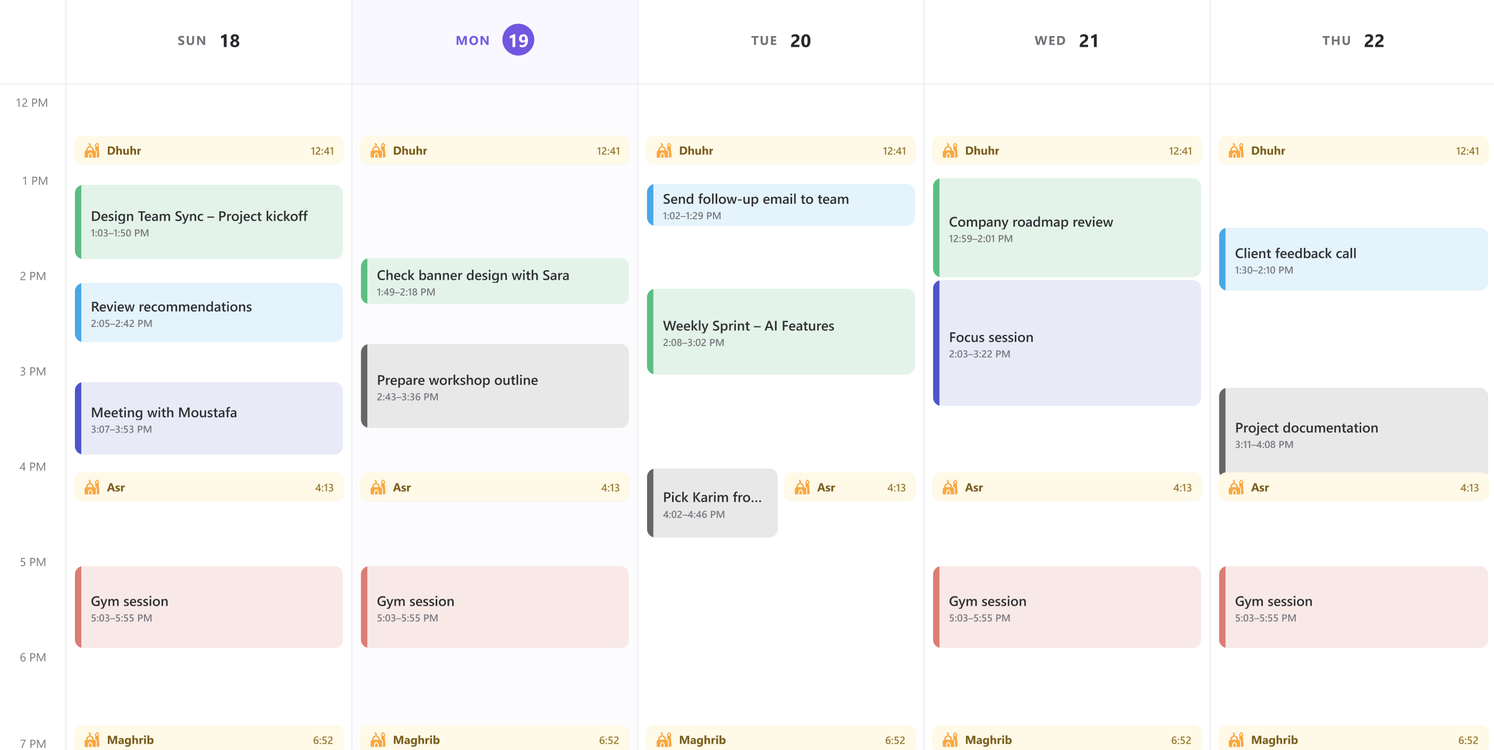
When life gets in the way, prayer stays on your radar.
Fajr Calendar adjusts the timing of a conflicting prayer event to avoid the overlap, helping you keep track of your prayer even on a packed day.
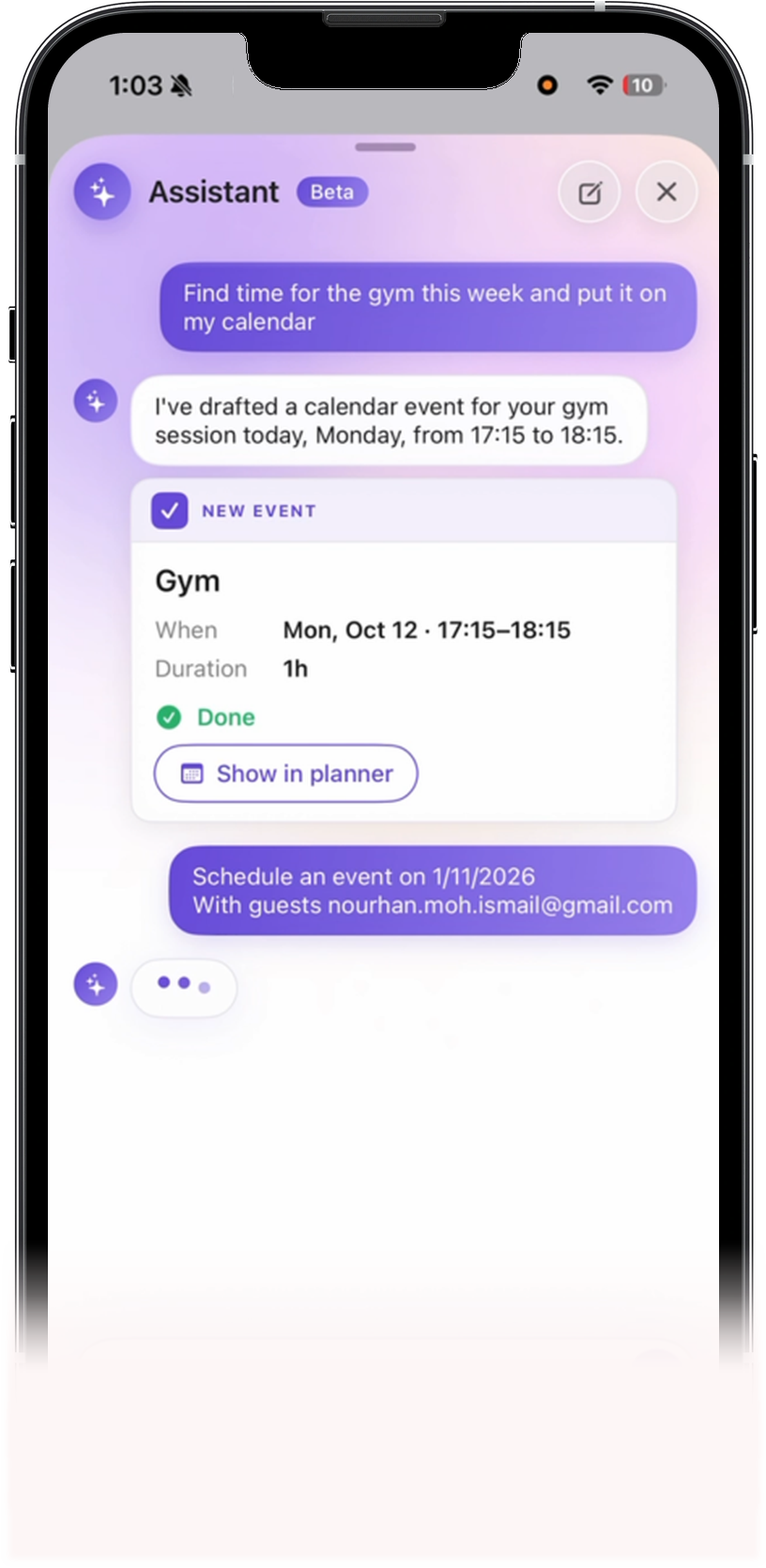
Your personal planning assistant, powered by AI.

Talk to your calendar
Type or speak a quick sentence to create events, set tasks, and organize your schedule instantly.

Smart Scheduling
Auto-schedules meetings and habits around prayer times while fixing timeline overlaps in one tap.

See your week at a glance
Ask your assistant to check your load, open slots, and suggest habits anchored to prayers.
Accessible from:


I have found an available 30min after Isha’a prayer. I have blocked out a slot between 9:00 PM and 9:30 PM:

Absolutely! Here’s an overview of your schedule for the rest of the week

Weekly load
Busy
Overlap
Free
Block out half an hour for deep meditation & focus today anytime after Maghrib prayer
Event
Deep meditation & focus

Create Lists
Group tasks into lists: Work, Family, Groceries or anything you name.

Break it into Steps
Divide complex tasks into actionable subtasks with progress tracking.

Flexible Views
Organize by prayer times, time of day, or custom priority.

Nothing Slips
Overdue tasks surface at the top until you deal with them.

Add in One Line
Type the task, then set its list, time and priority without leaving the bar.

Track Your Progress
See how much of today is done at a glance.
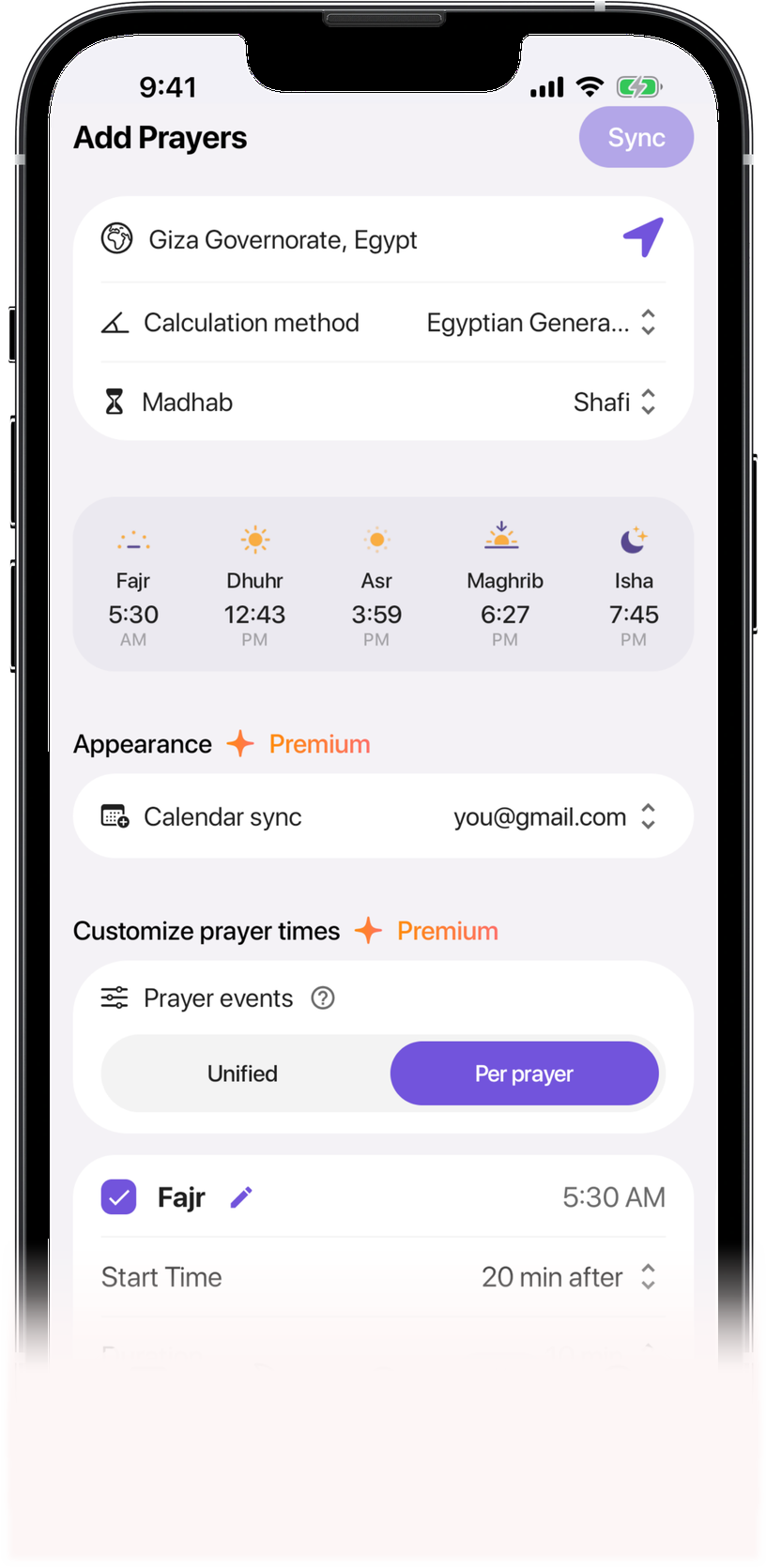
Prayer Settings

Customize Prayer Times
Calculation method, madhab, uniform or individual start points & duration.

Update Slack Status
Your status automatically shows you’re away while you pray.

Smart Scheduling
Your tasks, workouts, and meetings shift dynamically around prayer times as seasons change.

Conflict Resolution & Alerts
Manage overlapping events and customizable pre-prayer notification reminders.

Sync Islamic Events
See Ramadan, Eid and other key dates next to your plans.

Mark Yourself as Busy
Block out selected prayer times to prevent any scheduling clashes.
Real people.
More intentional days.
It works the best if you have constant meetings and you want your prayer times to be respected, you just plug it in and mark them as busy.

Mohammed Amine

Perfect! I can view the prayer times on my calendar and plan my day accordingly! so simple and easy but effective. Thank you!

Zeinab Samir
I've been searching for this feature since I was first using calendar app. Now my search is complete. Alhamdulillah.

Bintang Asihta Agung
Stunning use of the application. Not only is the design flawless, but it also helped me wake up for fajr. Alhamdulilah.

omondi
super amazing app. it helped me a lot to organize my work schedules with prayer times. highly recommend 👌

Amjad Yahia
This tool is a game-changer for maintaining consistent prayer times! User-friendly reminders ensure I never miss a prayer.

Mahmoud Aboeleneen
An awesome way to integrate prayer times into your work schedule, helps keeping track with prayer time, setting up calls and meetings schedules.

Omar Hassan Atef
I love this product! With a few clicks, you have your 5 daily prayers added to your calendar as events. You can avoid conflicts and enjoy a blessed day.

Ayah Yasser
Great idea with a friendly user experience, saving me from unintentionally scheduling meetings with my prayer times.

Mohamed Hagag
A lifesaver for busy days. It's easy to use and makes sure I don't miss my prayer times, even when I have a lot going on.

Mostafa Aboelnaga
The Fajr Calendar is incredibly useful, making our lives much easier, avoiding conflicts and performing our prayers without interruptions.

Shaimaa Selim
A few things
you might be wondering.
Fajr Calendar is an AI planner for Muslims. It integrates accurate prayer times into your calendar and brings your meetings, tasks, and habits into the same view, so you can plan your day around prayers.
Yes. The Free plan adds accurate prayer times to your calendar for the next 30 days, at no cost and with no time limit. It also includes unlimited tasks and up to 3 habits. Premium adds features like busy status during prayer and the AI assistant and starts with a 14-day free trial. See the pricing page for the full comparison.
Sign up for Fajr Calendar, set your location and calculation method, then connect Google Calendar. Your prayer times will appear alongside your existing events.
Fajr Calendar works with Google Calendar, Outlook, and Apple Calendar (iCloud). It also connects with Slack, Microsoft Teams, and Cal.com. You can use it on the web, on iPhone and Android, and as a Chrome or Firefox extension.
Prayer times are calculated from your city and the calculation method you choose, such as Muslim World League. You can also pick your Asr method (Shafi or Hanafi) or follow your local mosque’s timetable. After signing up, you can shift any prayer by a few minutes so it matches your mosque.
No. Fajr Calendar adds prayer events alongside your existing meetings and doesn’t edit them. If a meeting overlaps a prayer, it notifies you, and you can choose whether to move the event’s time or adjust the timing of the prayer event within its window so it doesn’t clash.
Only what you choose to share. Prayers can show as “busy,” so no one books over them, and you can rename them or keep them in a separate calendar. Also, if you choose to connect Fajr Calendar to Slack, it’ll update your status during prayer times as “praying.”
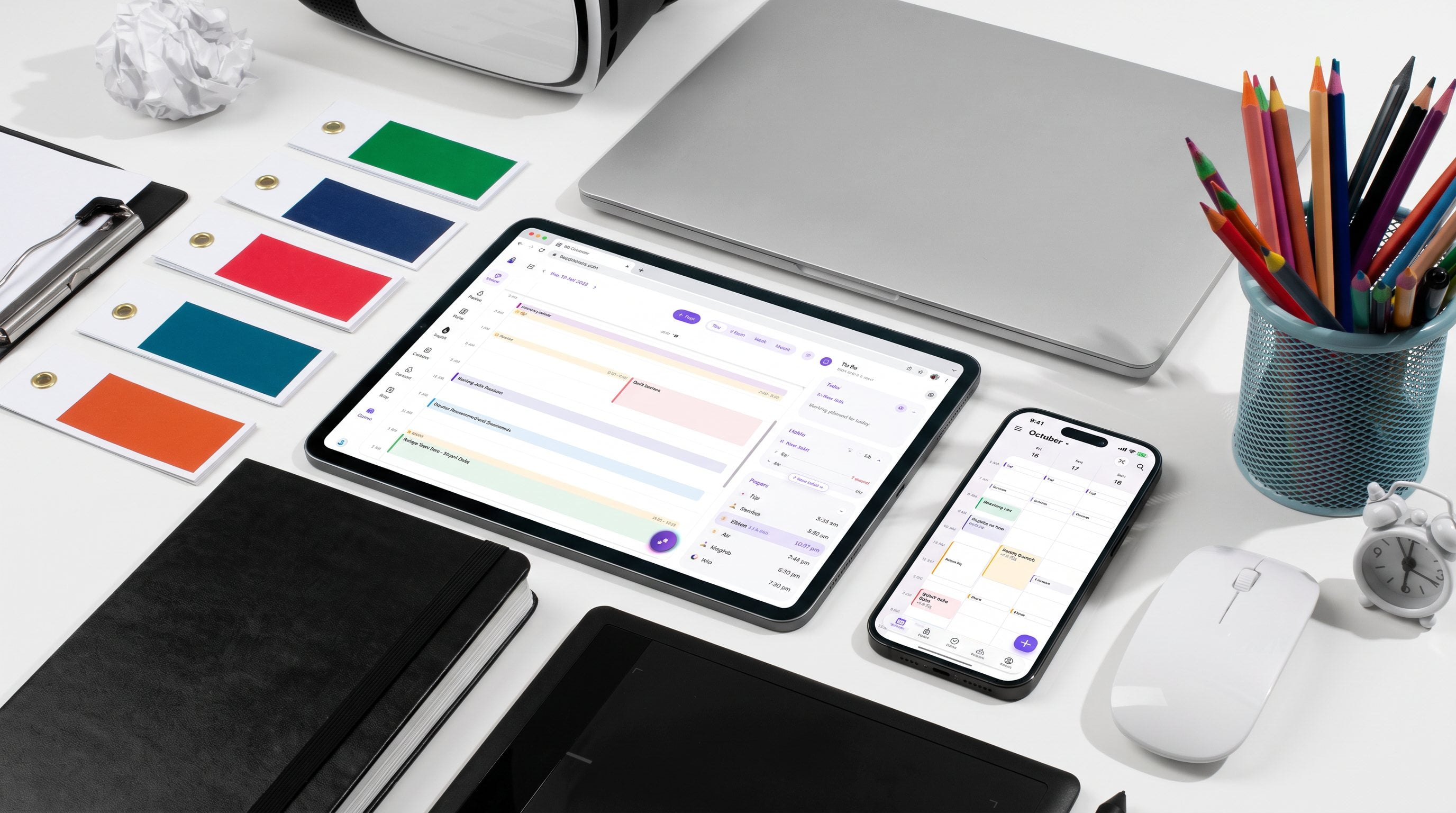

The ultimate AI Muslim productivity planner
Bring your prayers, plans, tasks, and habits together in one place. Build a daily routine that keeps what matters in view.
Sign up for free
